How to bring your kid's drawings to life: every tool compared (2026)
How to bring your kid's drawings to life: every tool compared (2026)
Five ways to bring a child's drawing to life, from Meta's free demo to Drawings Alive and DrawToLife. What each one costs, what it actually produces, and which is worth it.
If you want it free, Meta's Animated Drawings makes a drawn figure walk and dance in about a minute, with no account. If you want quality and options, Drawings Alive turns the drawing into a stylized image, a 6-second video, or a 3D model in your living room from $5 a month. If you want the drawing to become something your child can actually read and keep, that is a different job, and a printed storybook does it for $29.99 once.
"Bring it to life" turns out to mean four different things, and the tools do not all do the same one. Some restyle the drawing into polished art. Some make it move for a few seconds. One puts it in your living room in 3D. One writes a story around it.
This compares every option currently operating, what each costs, and what you are actually holding at the end. All prices were checked on each service's own site on 21 August 2026.
The four things "bring a drawing to life" can mean
Before comparing tools, it helps to know which of these you actually want, because no tool does all four well.
Restyling keeps the composition and redraws it in a polished style: 3D render, anime, claymation, plush toy. Animation makes the figure move for five or six seconds. 3D and AR builds a model you can walk around through your phone camera. Story makes the drawing a character in a narrative you read.
The first three give you a file. The fourth gives you something with a plot. That distinction decides everything below, and it is the one the category's marketing blurs hardest.
Every tool that brings drawings to life, compared
| Tool | What it makes | Free option | Price | Platform |
|---|---|---|---|---|
| Meta Animated Drawings | A drawn figure that walks, jumps, dances | Fully free | $0 | Browser |
| Drawings Alive | Stylized images, 6-second videos, 3D/AR models | No free tier | $5 / $8 / $17 per month | iOS, Android, web |
| Doodle Dreams | 5-second animated videos | 1 free animation | $3.75 / $7.50 / $16.58 per month, billed yearly | Web |
| DrawToLife | Art in 6 styles, plus a read-aloud story and talking video | 5 credits + 1 video | $9.99 per month or $79.99 per year | iOS, Android |
| DoodleTale | A printed 30-page storybook starring the drawing | Free preview of the character, full story, and cover | $29.99 printed, $9.99 digital, one-time | Browser |
Is there a genuinely free way to animate a drawing?
Yes, exactly one, and it comes with two conditions that no comparison article seems to mention.
Meta's Animated Drawings is free, browser-based, and needs no account. You upload a drawing of a character, confirm where its arms and legs are, and it walks, jumps or dances in about a minute. For a stick figure your child drew this afternoon, it is genuinely delightful and costs nothing.
The conditions are on the notice you have to accept before you use it.
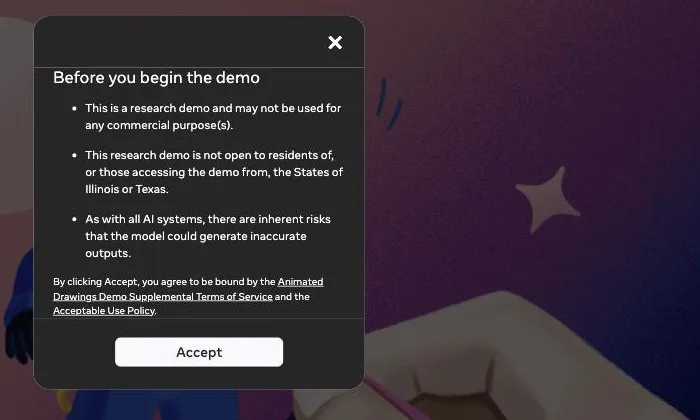
It is a research demo, not a product, and it may not be used for any commercial purpose. It is also not open to residents of, or people accessing it from, Illinois or Texas. If you are in Chicago, Dallas, Houston or Austin, the free option in every roundup you have read is not available to you.
It also only animates humanoid figures. A drawn person or creature with two arms and two legs works. A car, a house, a flower or a family portrait does not.
Drawings Alive: the most output formats
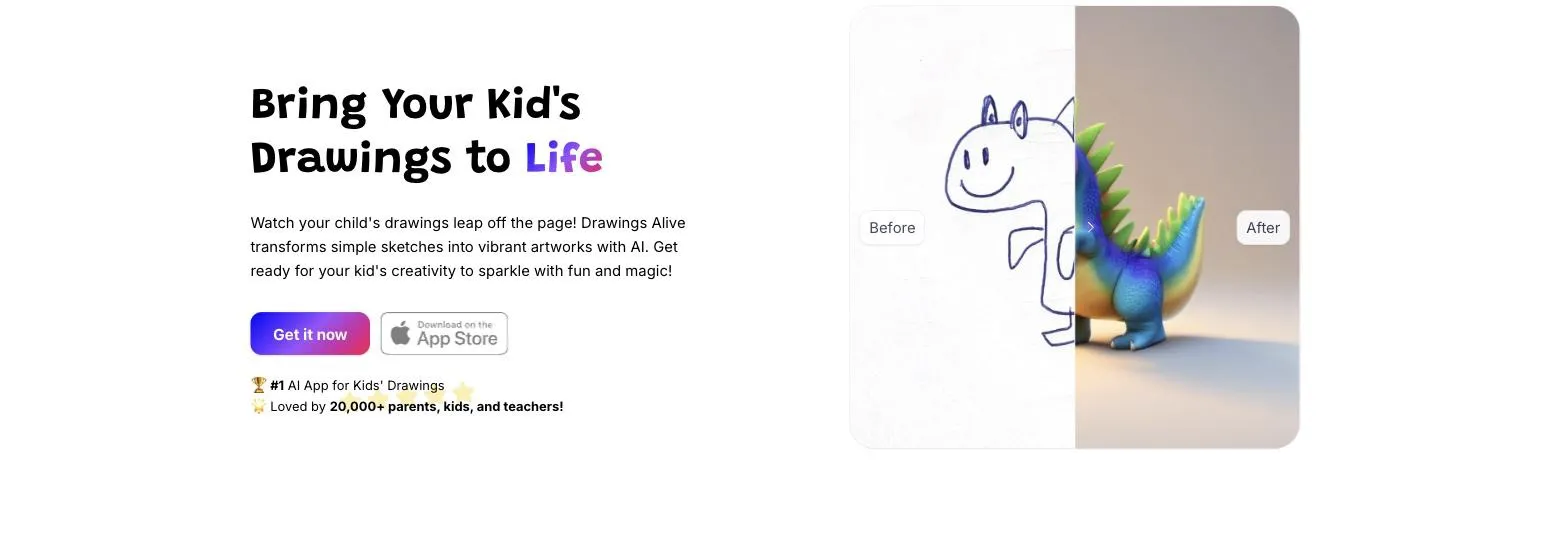
Drawings Alive is the one most parents find first, and it earns that by doing three jobs rather than one. Upload a drawing, add a one-line description, and it returns a polished image in styles including Toy Bricks, Plush toy and Blocks Game, a 6-second animated video, or a 3D model you can place on your kitchen floor in AR.
Pricing is a monthly subscription with hard caps on each output type. Starter is $5 a month or $59 a year for 50 images, 1 video and 1 3D model per month. Hobby is $8 a month or $99 a year for 200 images, 5 videos and 5 models. Artist is $17 a month or $199 a year for 500 images, 10 videos and 10 models. The company says 20,000 families use it.
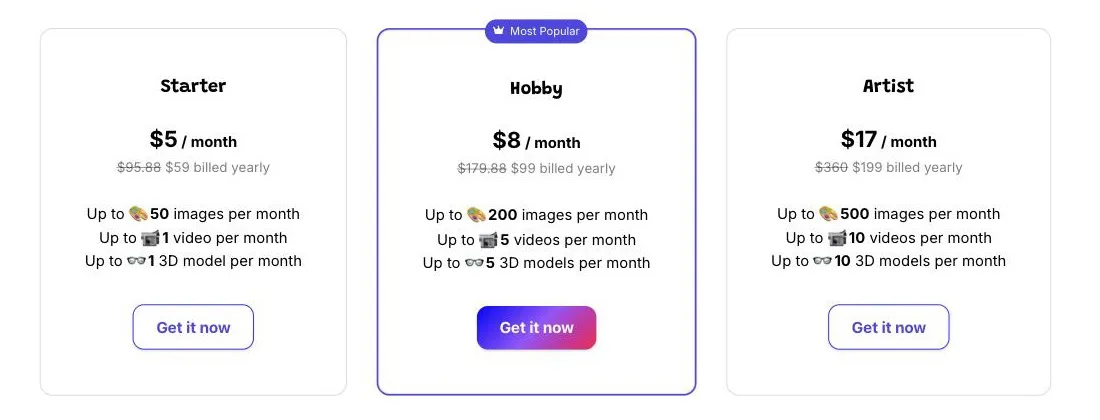
Two practical notes. There is no free tier, so the first result costs money. And the video and 3D allowances are the tight ones: on the entry plan you get one video a month, which is the output most parents actually want.
AR needs iOS 12 or later, or Android 7.0 or later.
Doodle Dreams: cheapest per animation
Doodle Dreams does one thing, which is the honest reason to consider it. You upload a drawing and get a 5-second animated video back.
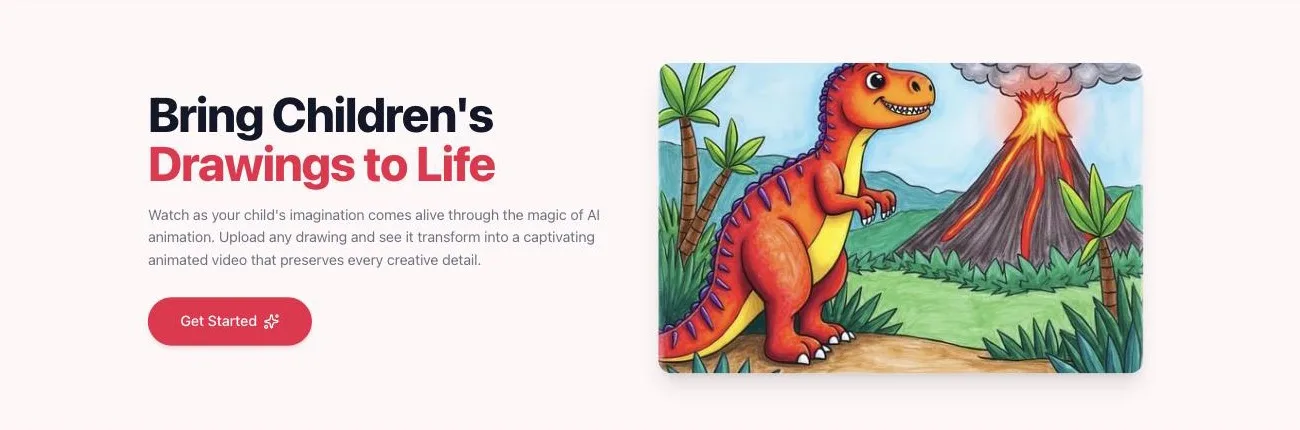
It gives you one free animation to try, which none of the other paid tools do. Plans bill annually: Doodler at $3.75 a month for 5 animations a month, Sketcher at $7.50 a month for 15, and Animator at $16.58 a month for 50. If animation is the only thing you want, the per-clip cost is the lowest here.
DrawToLife: the one that adds a story
DrawToLife sits between the animators and the storybook services, and it is aimed squarely at ages 3 to 8. One drawing becomes art in six styles, Movie 3D, Anime, Exactly as Drawn, Realistic, Claymation and Watercolor, and it will also generate a short read-aloud narrative and a talking video of the character.
Signing up gives you 5 credits and 1 video credit free, where one credit is one transformation. After that it is $9.99 a month for 40 credits, $79.99 a year for 500, or credit packs at $3.99 for 10, $12.99 for 30 and $24.99 for 100.
The story it produces is a screen experience: generated text, read aloud, inside the app. Whether that is what you wanted depends on the next section.
Can you just do it with ChatGPT or Gemini?
Partly, and it is worth knowing exactly where the DIY route stops.
If you already pay for a general AI assistant, you can photograph a drawing, upload it, and ask for it rendered as a 3D character, a plush toy, a watercolor, or a realistic photograph of the creature standing in a room. The restyling results are frequently as good as the dedicated apps, because underneath they are similar image models with a friendlier wrapper on top.
Where it stops is everything that is not a still image. The dedicated tools handle the awkward parts for you: keeping the character consistent across several outputs, rigging a figure so it can walk, generating a real 3D mesh you can place in AR, and doing it in one tap that a seven-year-old can press themselves. Reproducing those in a chat window is fiddly at best.
There is also a practical point about your child. Half the appeal of Drawings Alive or DrawToLife is that the kid drives it: upload, pick a style, watch. A chat interface puts a parent in the middle of every step, which is fine for you and much less fun for them.
The DIY route makes sense if you want one striking image from one drawing and you already have a subscription. The apps make sense if you want repeat use, motion, or 3D.
What a year of this actually costs
Monthly headline prices hide the real number, because every one of these except Meta's demo is a subscription and most of them bill annually to get the advertised rate.
| Tool | Cheapest year | What that year buys |
|---|---|---|
| Meta Animated Drawings | $0 | Unlimited, humanoid figures only |
| Doodle Dreams | $45 | 60 animations, 5 a month |
| Drawings Alive | $59 | 600 images, but only 12 videos and 12 3D models |
| DrawToLife | $79.99 | 500 credits, one credit per transformation |
| DoodleTale | $29.99 | One printed book, no renewal |
Read the video column rather than the image column. Images are cheap to generate and every plan is generous with them; videos and 3D models are the ones parents actually want, and they are the ones that are capped. Drawings Alive's $59 year gives you one video a month, so the entry plan works out at roughly $5 per animation.
The other thing to check before subscribing is what you may do with the result. Drawings Alive publishes answers to "Who owns the pictures?" and "Can I save or print the transformed artwork?" in its own FAQ, and Meta's demo bars commercial use outright. If you are planning to put the output on a mug, a canvas or a school fundraiser, read those two answers first rather than after.
How to get a result worth keeping
The output quality of every tool here depends more on the photo you feed it than on the tool. Four things do most of the work.
Shoot the drawing flat and in daylight. Paper on a table, phone directly overhead, no flash, and no shadow from your own head. A phone camera near a window beats a scanner for speed and matches it for quality at this size.
Give it one character per page. These models work from a single clear subject, so a page holding a house, three people, a sun and a dog produces a muddle in every tool I tried, because the AI has to guess which thing is the hero. Bold dark outlines help for the same reason. Crayon, marker and felt tip all read cleanly, while light pencil, glitter glue and anything drawn on lined or colored paper give the model less to work with.
Then say what it is in one line, because the description box is not a formality. "A purple dragon with six legs and one eye" produces a purple six-legged one-eyed dragon. Leave it blank and the AI guesses, and it usually guesses generic.
For Meta's demo specifically, the drawing has to be a character with two arms and two legs in a roughly spread pose, because the tool works by placing a skeleton over the figure. A curled-up cat will not animate.
What to check before you upload your child's art
Every tool here works by sending a photograph of something your child made to somebody else's servers. That is not a reason to avoid them, but there are three things worth two minutes before the first upload.
Start with what you are allowed to do with the result, because it varies more than you would expect. Meta's demo bars commercial use outright, in writing, on the dialog you accept. Drawings Alive answers "Who owns the pictures?" and "Can I save or print the transformed artwork?" in its own FAQ. If the plan is a canvas for grandma or a fundraiser at school, read those answers before you order rather than after, because a printed thing is harder to undo than a deleted file.
Then think about the name. Some services ask for a first name to personalise the output, and there is rarely a reason to give a real one. "Bee" works as well as your child's actual name in a generated story.
The last one catches people at the end rather than the start. These are subscriptions with monthly caps, so the outputs usually live in the service's library rather than on your phone. Download anything you care about while the account is still live, instead of discovering the gallery is read-only after the renewal you forgot to cancel.
None of this is unique to kids' art tools. It is the same checklist as any app you feed family photos to, and it takes less time than the upload does.
What all of these leave you holding
Every tool above returns a file. That is not a criticism, it is the category, and for a wet Sunday afternoon a file is exactly right.
But the pattern parents describe is consistent. The clip gets watched maybe four times, sent to one grandparent, and then it is in the camera roll with eleven thousand other things. The drawing that prompted it is still on the fridge, and the subscription renews on the 14th.
A six-second video has no plot, no named character, and nothing to read. It cannot be a bedtime request, because there is nothing to ask for twice.
DoodleTale answers the same starting point, one drawing your child made, with a different output. The drawing becomes the main character in an original 30-page story where your child is the named hero, printed as an 8x8 softcover for $29.99 with free shipping in the US and Canada, or $9.99 as a digital copy. You see the character, read the full story, and see the cover free before paying, and there is no account or subscription. The full comparison of the three categories, animators, text story generators and drawing-to-story, is in which app turns your kid's drawing into a story.
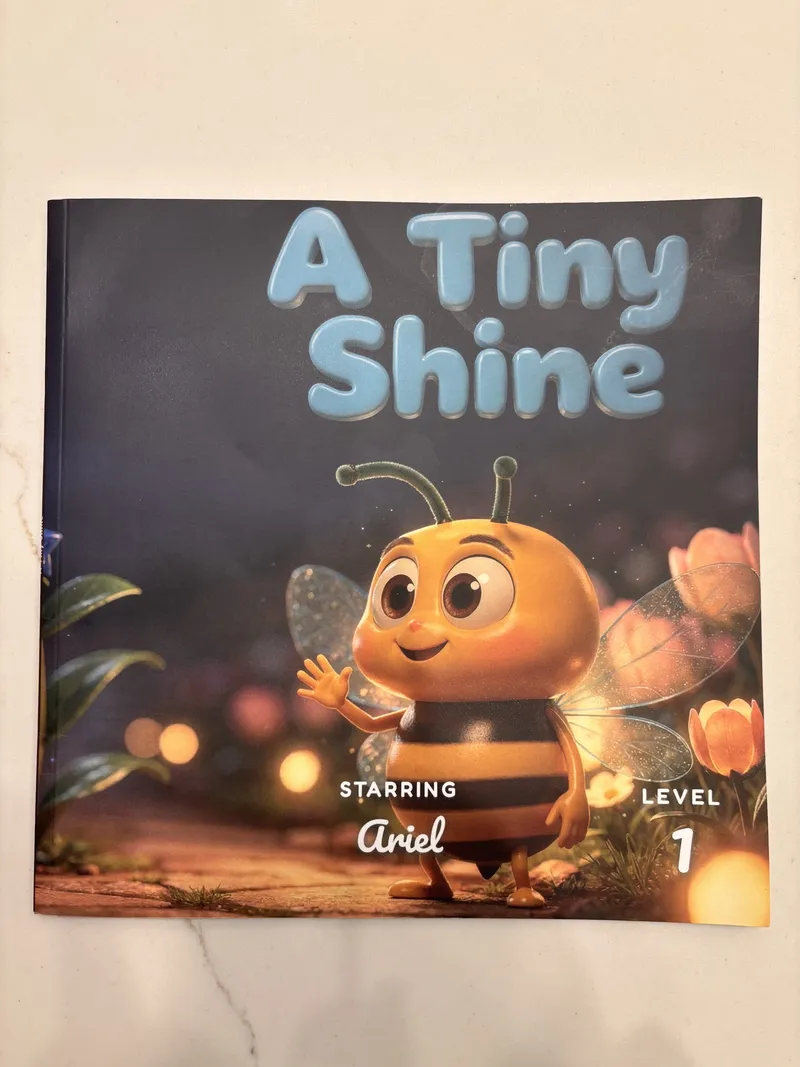
The honest framing is moving versus keeping. An animation is the drawing in motion for six seconds. A book is the drawing at rest, permanently, in a form somebody can hand to someone else.
Which one to pick
Match the tool to the afternoon you want.
You want a free laugh in the next ten minutes, and the drawing is a person. Meta Animated Drawings, assuming you are not in Illinois or Texas.
You want the best-looking result and more than one format. Drawings Alive, on the $8 plan rather than the $5 one, because the entry tier only allows a single video a month.
You only want animations and want them cheap. Doodle Dreams, starting with the one free clip.
Your child is 3 to 8 and you want art plus a story on screen. DrawToLife, using the 5 free credits first.
You want the drawing to survive the phone. A printed storybook. Different job, different price shape, one payment instead of a renewal. Both options are on the pricing page.
Plenty of families do both, and there is no contradiction in that. Animate it on Sunday, print it for the birthday. The mistake is subscribing for a year to something you wanted once.
If the goal is the whole shoebox rather than one drawing, the mail-in archive services are a different calculation entirely, and the pricing is less obvious than it looks: what Artkive really costs.
Frequently asked questions
Drawings Alive is the best known, turning a drawing into a stylized image, a 6-second video, or a 3D model you can view in AR, from $5 a month. Doodle Dreams does 5-second animated videos from $3.75 a month. DrawToLife adds a read-aloud story on top of the art, from $9.99 a month. Meta's Animated Drawings makes a stick figure walk and dance for free.
Yes, one. Meta's Animated Drawings at sketch.metademolab.com is free and needs no account. Two limits matter: it is a research demo that may not be used for commercial purposes, and it is not open to residents of Illinois or Texas. Every other tool in this category is a paid subscription with at most a single free trial animation.
Drawings Alive is the only mainstream kids' tool that does this. You upload the drawing, it generates a 3D model, and your phone camera places it in your room in augmented reality. It requires iOS 12 or later, or Android 7.0 or later, and 3D models are capped per plan at 1, 5 or 10 a month.
Check each service before you commit to anything physical. Meta's Animated Drawings states on its consent dialog that it is a research demo and may not be used for any commercial purpose. Drawings Alive answers image ownership and printing in its own FAQ. If you are planning a canvas, a mug or a school fundraiser, read those terms before you order rather than after.
Animating produces a clip of a few seconds with no plot, no named character, and nothing to read. A storybook makes the drawing a character inside a narrative with a beginning, middle and end. The animation is a wow moment you watch once; the story is the thing a child asks for again at bedtime.
The clip is for you. The book is for them. That is usually the whole difference.
Related: Which app turns your kid's drawing into a story? · Best apps to turn your kid's drawing into a book · What to do with kids' drawings
Try it yourself
Turn your child's drawing into a real storybook
Free preview. No account needed. Ships to US & Canada.
Start for free