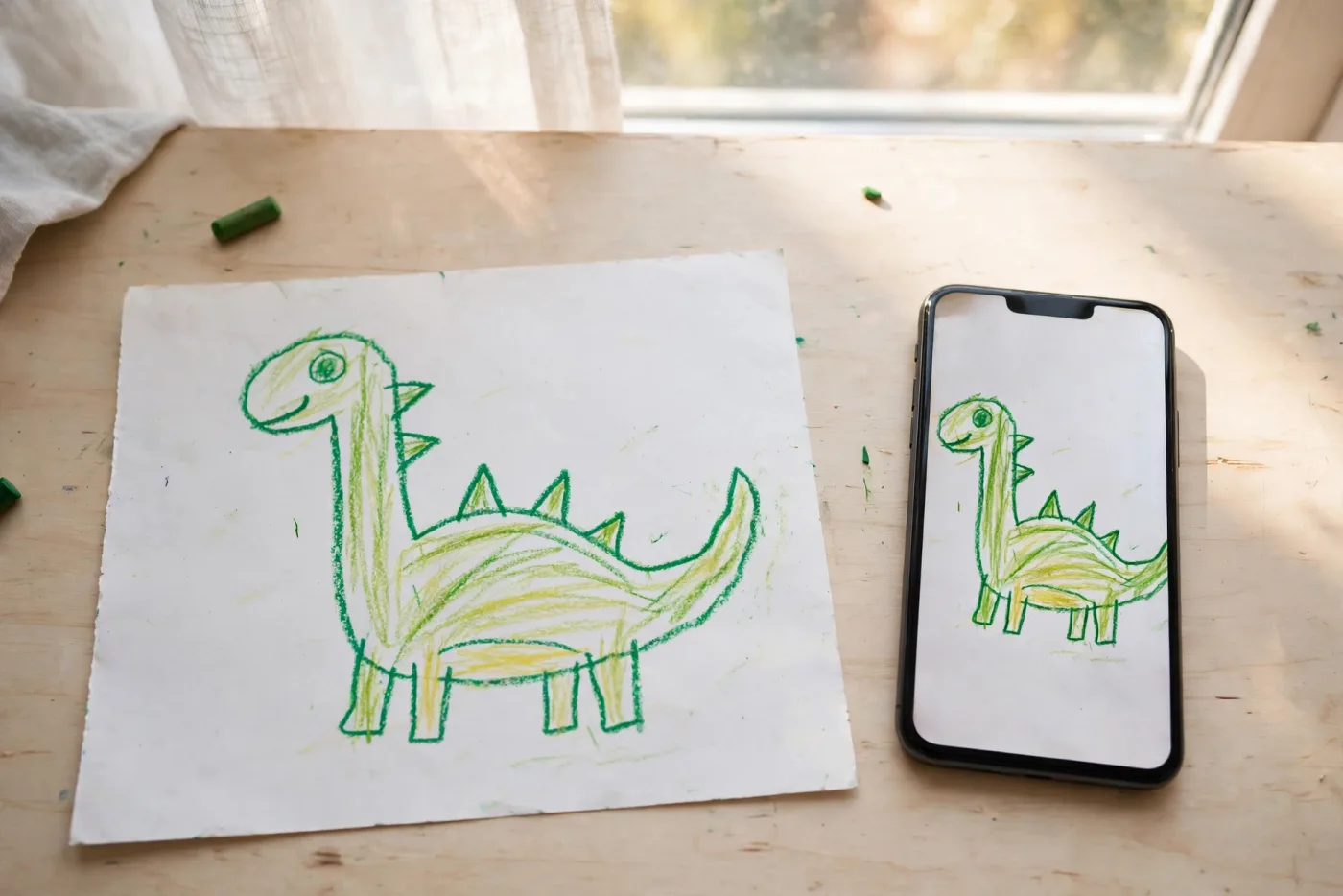
How to digitize kids' artwork (the scanner is usually wrong)
How to digitize kids' artwork (the scanner is usually wrong)
Every guide says scan it. The federal guideline says don't, for artwork. How to digitize kids' art properly: resolution, formats, color, backup.
Photograph artwork, scan documents. Every guide online says put it on the flatbed; the federal imaging guideline lists flatbed scanners as not recommended for two-dimensional art and recommends cameras instead. Shoot straight down in soft indirect light at 300 ppi equivalent, or 400 to 600 if you will enlarge it. Keep one lossless master per piece and make JPEGs for sharing. Name files 20260903-maya-age5-dinosaur-001.jpg. Then back up 3-2-1, because iCloud is a sync, not a backup.
There is a version of this job that takes a weekend and produces two thousand unsorted photos you will never open again. This is the other version.
Most articles on how to digitize kids' artwork give you one number, usually 300 DPI, and one instruction, usually "use a scanner," and neither is sourced. Some of it is right. One large piece of it is wrong in a way that matters, and it is wrong on nearly every page currently ranking.
Scan or photograph? Start here
The advice everywhere is: use a flatbed scanner. For a crayon drawing, that advice is backwards.
The Federal Agencies Digital Guidelines Initiative publishes the technical guidelines US federal agencies use to digitize cultural heritage material. In the section covering paintings and other two-dimensional art, it lists the recommended technologies as planetary scanners and digital cameras, and lists flatbed scanners under "Not Recommended."
A planetary scanner is, in practice, a camera on an overhead copy stand. Which means the thing you already own, a phone held level above the drawing, is closer to professional practice than the scanner you were about to buy.
FADGI is not anti-scanner in general. Elsewhere it says flatbeds "have their place and may be appropriate for some applications," and for flat paper documents they are genuinely good: fast, consistent, and repeatable. So the split is not scanner-bad, camera-good. It is:
| What you have | Use | Why |
|---|---|---|
| Crayon, marker, paint on paper | Camera, straight down | Color and surface read better; no glass contact |
| Anything with texture: glitter, pasta, tissue, thick paint | Camera, always | A scanner flattens or blows out relief |
| Flat worksheets, certificates, school reports | Scanner | Faster, more consistent, and this is what flatbeds are for |
| Bigger than the scanner bed | Camera | Avoids stitching, which has its own problems |
| Glossy photo or art behind glass | Scanner, or PhotoScan | Both handle reflections better than a plain phone shot |
The technique: put the drawing on a plain surface near a window on an overcast day. No direct sun and no flash. Hold the phone directly above and level, so the edges of the paper stay parallel to the edges of the frame. Let your own shadow fall outside the shot. That is genuinely the whole technique, and it beats a $200 scanner on a textured piece.
What resolution actually needs to be
Every page gives one number. The honest answer is a decision with three inputs, and all three are citable.
The Library of Congress, in its consumer-facing guide to scanning personal collections, tells home users: scan documents and photos at 300 dpi, and "to enlarge 4"X6" and 5"X7" photos to 8"x10" or greater, scan at 400 or 600 dpi." That is the cleanest framing anyone offers, because it makes resolution a function of how big you intend to print, rather than a number to feel anxious about.
The National Archives requires, for federal records, a minimum of 300 ppi for paper and 400 ppi for photographic prints, sized to match the original.
FADGI puts plain documents on a 200/250/300/400 ppi ladder and two-dimensional artwork on a 300/450/600 ladder, noting that for the highest tier, "greater than 600 ppi is almost always required," because the level of detail in artwork exceeds 600.
A four-year-old's crayon dinosaur sits between "document" and "artwork." 300 ppi is the working minimum and covers almost everything. Use 600 for the handful you might one day frame at poster size.
When more DPI stops helping
There are two hard answers, and neither appears on the pages currently ranking.
First, from the National Archives: resolution is a specification, not a guarantee of quality. Their words: "These attributes alone don't guarantee high quality" and "simply increasing the sampling rate or size doesn't necessarily result in better quality if the scanner cannot meet the specifications." A budget flatbed advertising 4800 dpi is interpolating, inventing pixels between the ones it actually measured. Past its real optical limit you are recording its noise in higher fidelity.
Second, there is a physical ceiling. FADGI notes that large originals at high ppi "will exceed the maximum file size allowed in the TIFF format." Scan a big poster at 1200 dpi and the save will fail. "Just do everything at maximum" is advice that breaks on the exact pieces you care most about.
One master, many copies
The internet keeps having a JPEG-versus-TIFF argument with itself. Archives settled it decades ago by keeping both, for different jobs.
FADGI separates the master file, which is lossless and kept forever, from access files, which are "secondary items, generally not considered to be permanent parts of an archival collection" and typically use lossy compression. One authoritative original; as many disposable copies as you need.
For a family, that means: one good master per drawing, then JPEGs for the group chat, the photo book, the grandparents, the phone wallpaper. Edit and export copies. Never overwrite the master.
For home collections specifically, the Library of Congress does not tell you to keep everything as TIFF. Its scanning guide says to save color scans as "medium-quality JPEG unless you want to re-print the photo, in which case use the high-quality JPEG setting."
Both things are true at once. Institutions keep lossless masters because they are stewarding originals for centuries. The realistic risk to your archive is not JPEG compression. It is having exactly one copy.
As a rule, if the scanner or camera gives you a lossless option at no real cost, take it for the twenty pieces you would genuinely be upset to lose. For the other three hundred, a high-quality JPEG is fine, and the energy is better spent on the backup section below.
The color step everyone skips
Not one ranking page mentions color management. It takes about ten seconds and it is what separates a photo of a drawing from a record of one.
FADGI's rule for reference targets is to "include reference targets in each image of originals being scanned including, at a minimum, a gray scale, color reference, and an accurate dimensional scale," positioned close to but clearly separated from the artwork, lit identically, and captured in the same session under the same conditions.
The home translation: put a gray card and a ruler in frame for the first shot of each session. A cheap gray card is a few dollars. If you never touch the color again, fine, it cost you one photo. If in ten years the whites have gone yellow, you have a known-neutral reference to correct against, and a scale that proves how big the original actually was.
Then crop it out of the copies you share. FADGI does exactly this, recommending you make access derivatives "that have the reference target(s) cropped out."
On color space, the short version: FADGI recommends a wide space such as Adobe RGB (1998) for master files, but also notes that "most monitors in the marketplace cannot display Adobe RGB (1998)" while "the sRGB color space is viewable on most current color monitors." So wide space for the archive copy if your device offers it, sRGB for anything you will send, post, or upload to a print service. If you are shooting on a phone, you are getting sRGB by default and that is a perfectly reasonable place to be.
One more, from FADGI, which is the professional version of the folk tip about wearing a white shirt: the working environment "should be painted/decorated a neutral, matte gray with a 60% reflectance or less to minimize flare." You are not repainting the kitchen. But it does mean a bright red jumper leaning over the drawing will cast onto it, so wear something neutral.
Art that will not lie flat
This is where scanning fails hardest, and FADGI explains the mechanism precisely: "Artwork is rarely truly two dimensional, the third dimensional aspect may be critically important. If the texture of the original is important, image capture may be limited to the single image capture ability of the camera or scanner."
Glitter glue, glued pasta, tissue-paper collage, thick poster paint, anything with a raised edge. A flatbed lights the surface with one moving line, which either blows the highlights out or crushes the relief flat. FADGI lists specular highlights obscuring detail and extreme highlight-to-shadow range among the genuinely unsolved problems of art imaging.
For oversized pieces, if you do capture in sections and stitch them, keep the sections. FADGI treats the set of tiles as the archival master and the stitched version as the production master. And do not tile anything textured: capturing in tiles "changes the rendering of the 3D information, making reassembly into one image unreliable."
For most oversized kid art, one straight-down photo from a bit further back beats a careful stitch.
Naming files so they still make sense in 2040
An unlabeled JPEG of a scribble is close to worthless in fifteen years. FADGI is blunt about this: "we do not consider an image to be of high quality unless metadata is associated with the file. Images without sufficient metadata are at greater risk of being lost."
You do not need a metadata schema. You need a filename that carries the four things you will want: when, who, how old, what.
20260903-maya-age5-dinosaur-001.jpg
The date structure is the Library of Congress's own recommendation (yyyymmdd, "create your own naming system but be consistent"). The formatting rules are FADGI's: lowercase, leading zeros so things sort correctly, a file extension always present, under 32 characters where you can, and nothing in the name that might change over time.
That last rule has a real consequence: do not put the school year or the grade in the filename, because those are relative and will confuse you later. The child's age at the time is fixed and stays true.
For folders, the Library of Congress publishes a plain tree worth copying:
\Kids-Art
      \maya
            \2026
                  20260903-maya-age5-dinosaur-001.jpg
                  20260917-maya-age5-family-001.jpg
One folder per child, one per year. That is enough structure to find anything and simple enough that you will actually maintain it.
Backing it up so it survives
"Don't forget to back up" is the entire backup advice on every page currently ranking. The actual rule has a primary government source.
3-2-1, as published by Carnegie Mellon for US-CERT and hosted by CISA:
3 – Keep 3 copies of any important file: 1 primary and 2 backups. 2 – Keep the files on 2 different media types to protect against different types of hazards. 1 – Store 1 copy offsite.
The same document credits the rule to Peter Krogh's The DAM Book, a photographer's manual about managing image archives. The rule for protecting your kid's drawings was written by someone protecting photographs.
This is where iCloud and Google Photos stop counting. The same CISA document warns that rolling backups "can silently propagate any corruption or malware in the primary files to the backup files," and that if the primary drive fails "you could lose both your primary and backup files."
Photo sync mirrors your library. Delete a folder by accident, or let a file corrupt, and the service faithfully mirrors that too. Sync is convenience. A second copy is something the first copy cannot reach.
A version that works for a normal household: the originals live on your computer, one copy syncs to your cloud service of choice, and one copy sits on an external drive that lives somewhere else, a desk drawer at work or a relative's house. That is three copies, two media types, one offsite.
Then the maintenance, from the Library of Congress's personal archiving guidance: check once a year that your files still open, and move copies onto newer storage roughly every five years. Their note on storage media is worth reading in full, but the headline is: "All digital storage media have a short life. This is why digital preservation requires active management."
The failure mode this prevents is extremely common and completely silent: an external drive from 2013, in a drawer, that nobody has plugged in since.
The apps, as of September 2026
Microsoft Lens is gone. Microsoft retired it: removed from app stores in February 2026, and scanning stopped working in March. Any guide still recommending it has not been updated this year, which is a useful test to apply to whatever else you are reading.
Apple Notes has a free built-in scanner (new note → attachment → Scan Documents), and so does the Files app. Genuinely good for worksheets, certificates and school reports. Wrong tool for a drawing: it is a document pipeline, applying edge detection, perspective correction and document-style filtering, and it outputs PDF. Use the plain Camera app for artwork.
Google Drive likewise scans to searchable PDF. Same verdict: excellent for paperwork, wrong pipeline for a painting.
Google PhotoScan is still free and still maintained, and it works in a specific way. It removes glare by having you capture four corner positions and compositing them. That is exactly right for a glossy photo or a piece behind glass, and exactly wrong for a textured piece, because compositing multiple angles smears the relief. Google's own guidance: keep the phone level, use a contrasting background, avoid carpet, and move somewhere less bright if there is too much glare.
Your plain camera app remains the correct default for artwork. Note that iPhones capture HEIC by default; if you want maximum compatibility with older software and print services, Settings → Camera → Formats → Most Compatible switches you to JPEG.
What "good enough" looks like
One last thing, from the most rigorous body in this field. FADGI's section on two-dimensional artwork is labeled Provisional, and it concedes plainly: "Current technology does not permit truly accurate reproduction of many artworks."
The federal guideline for imaging cultural heritage says it cannot perfectly capture a painting. So the standard you should be holding yourself to is not perfection. A decent phone photo taken today, named properly and backed up in three places, is worth more than the flawless scan you keep meaning to do.
Start with the twenty pieces you would be genuinely upset to lose. Do those properly. The rest can be a fast pass on a Sunday.
And once it is digitized, the file is only worth what you do with it. There is a separate guide to what to actually do with kids' drawings once you have a system, a walkthrough of building a physical book from the originals, and a comparison of the three routes to making a book if that is where this is heading. If one drawing stands out from the pile, DoodleTale turns that single photo into a printed storybook where the drawing becomes the illustrated hero, which is a different job from archiving, and cheaper to decide before you scan three hundred pieces.
Technical guidance in this post is drawn from FADGI's Technical Guidelines for Digitizing Cultural Heritage Materials (3rd edition, 2023), the Library of Congress Personal Digital Archiving series, the US National Archives, and CISA. Links to each are inline. Checked September 2026.
Try it yourself
Turn your child's drawing into a real storybook
Free preview. No account needed. Ships to US & Canada.
Start for free